
Just leave it to Abu
A local-first AI desktop assistant
You describe the task, Abu does the work — read files, run commands, write docs, build reports
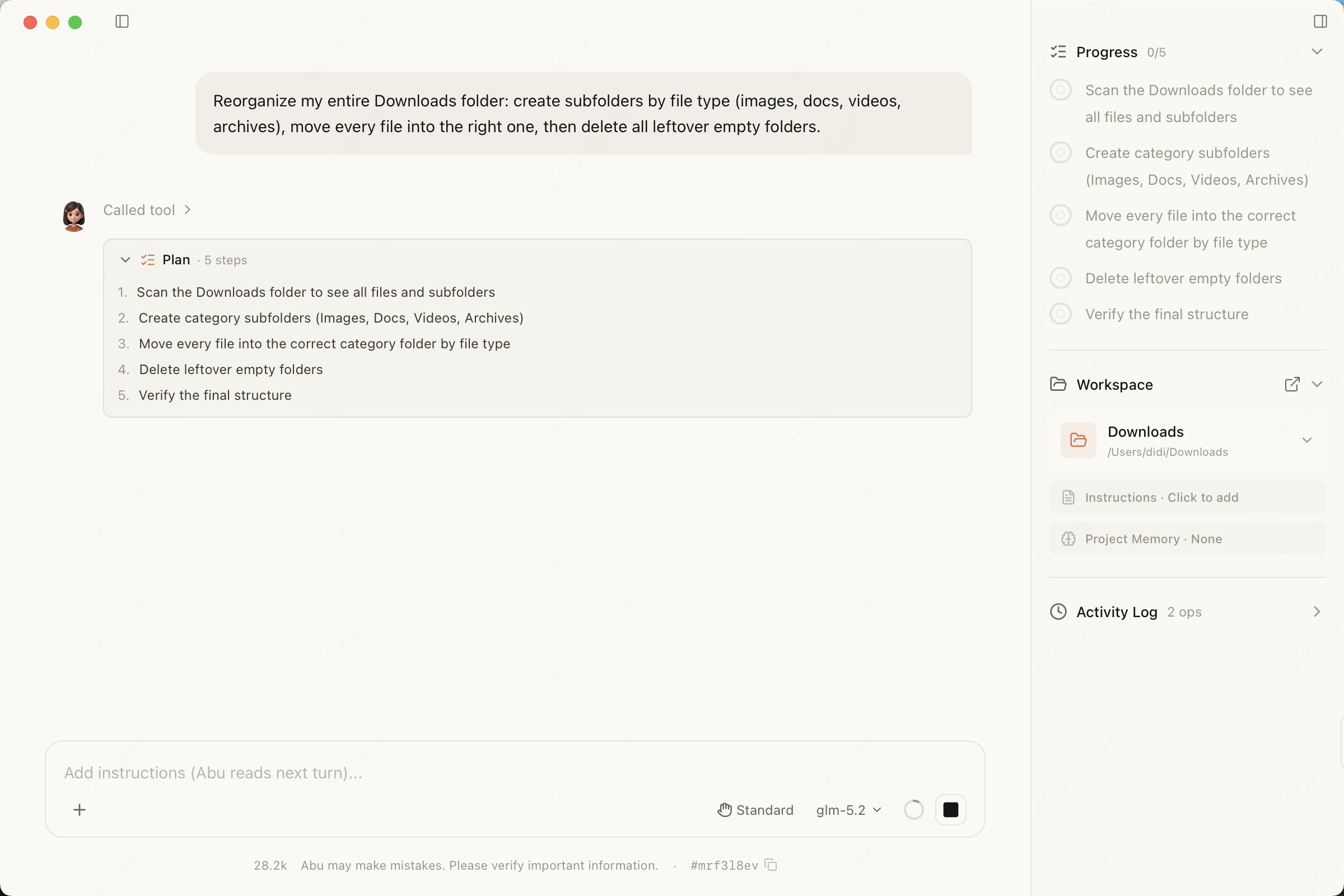
A local-first AI desktop assistant
You describe the task, Abu does the work — read files, run commands, write docs, build reports
Not just chat — it plans autonomously, calls tools, and completes complex tasks
After running a complex workflow, Abu offers to "save it as a skill" — one click generates a draft; review, publish, and reuse it next time. Your workflows get more tailored to you the more you use it.
Plans tasks, calls tools, reads and writes files, and runs commands — completing complex workflows on its own.
Skills cover Office documents, design, browser automation, and development, with installation, customization, and continuous refinement.
Connect databases, search engines, GitHub, and other services through MCP, managed together in Toolbox.
Scheduled tasks and event listeners respond to HTTP, file changes, time, or IM messages while Abu is running and the computer is awake.
Screen reading plus keyboard and mouse control let Abu operate desktop apps directly, completing tasks like a human.
For high-risk steps like delete, overwrite, send, or install, Abu first proposes a step-by-step plan and only acts once you click "Confirm" — running read-only operations while it waits.
When it needs your call, Abu pops up an option card above the input box — single or multi-select, with a custom "Other" field — so you never have to hunt for the question in a wall of text.
The main agent can assign bounded subtasks to other agents, then collect their progress and results.
A clean, intuitive interface with powerful, flexible capabilities
Plan Mode · High-risk tasks get a plan first — nothing runs until you confirm
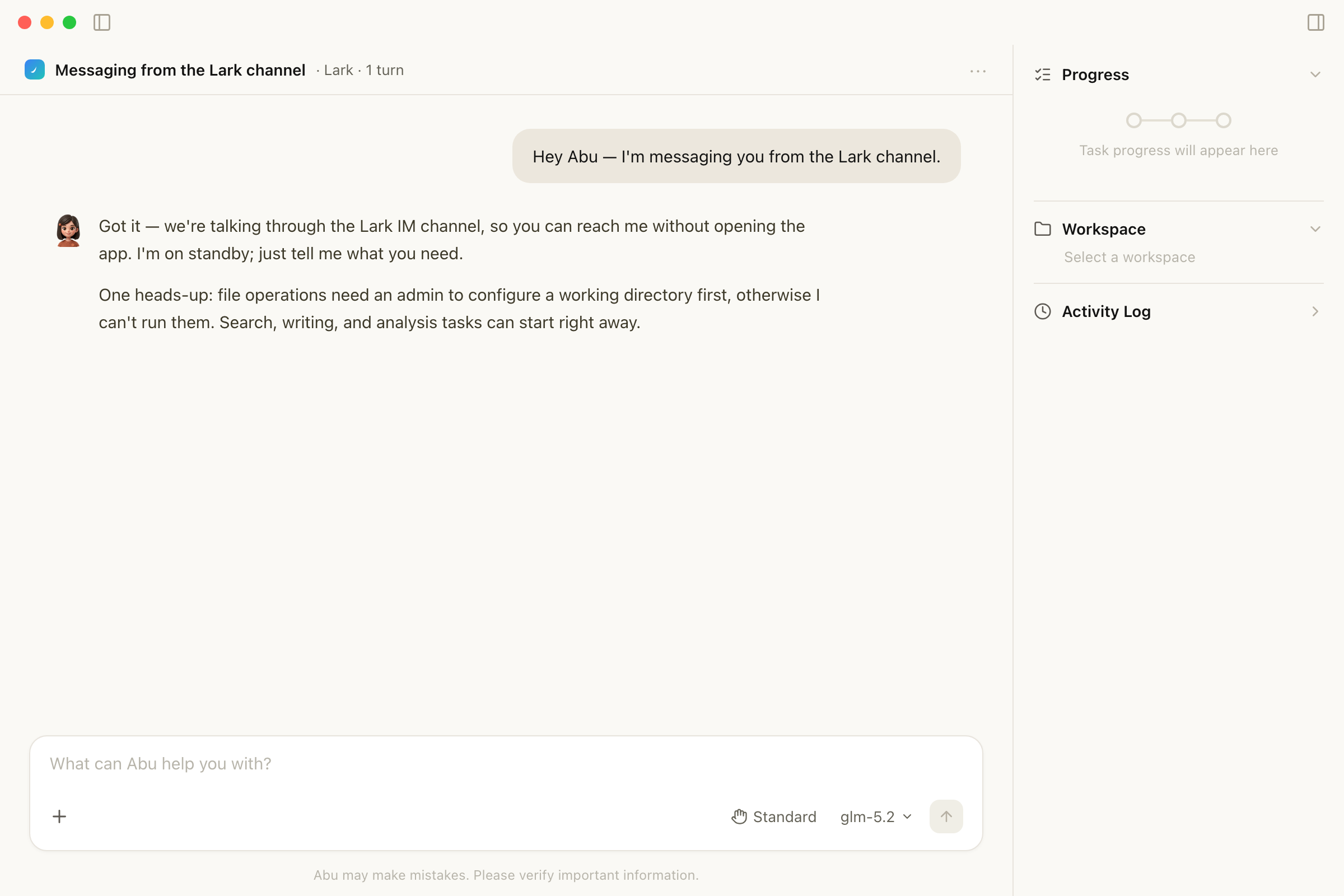
IM Channel Chat · Just @Abu in Feishu or DingTalk to interact
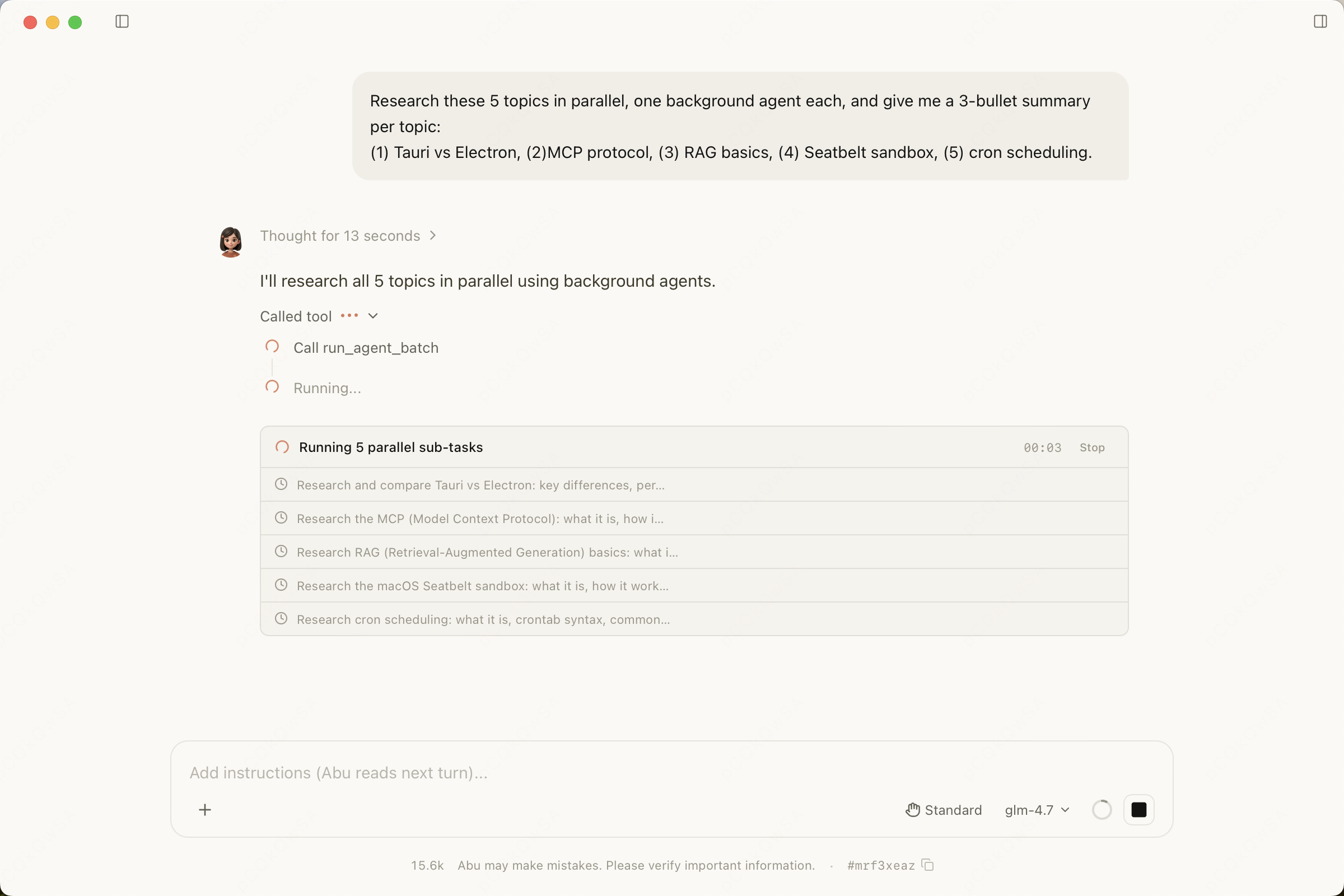
Multi-Agent Collaboration · The main agent delegates subtasks and collects progress and results
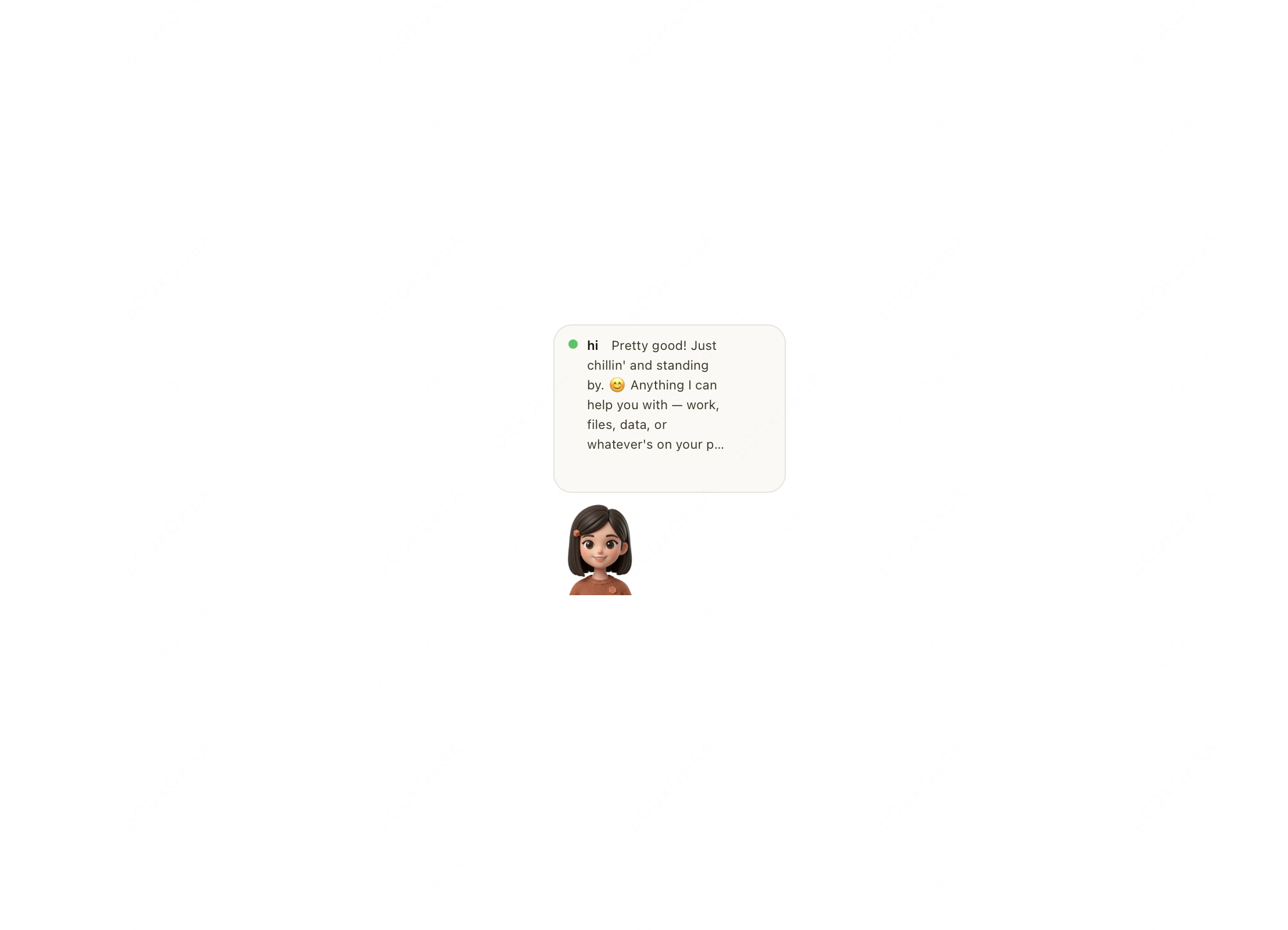
Desktop Pet · Activity Bar · A floating desktop widget shows Abu's status in real time
Whether you're a professional, a student, or a developer, Abu has your back
A modern, secure, and reliable stack
Up and running in three steps
Use the download button at the top of this page and choose your platform
Open Settings, pick an API provider, and enter your API key
Choose a workspace and describe the goal, constraints, and deliverable in plain language
Join the Community
Follow updates, swap tips, and help make Abu better
WeChat Group
Scan to add the author on WeChat — note "Abu" and you'll be added to the group